Auto PO Update from Trade Agreement Changes
Business Purpose & Overview
When updating trade agreements, the client may have open purchase orders with prices that do not match the new terms. If the client schedules out with open purchase orders, there is no easy way to update those with more up-to-date pricing from trade agreements.
The extension automatically updates open purchase order line prices when an applicable trade agreement gets added or updated. The batch job created in the extension determines the appropriate lines to update based on the confirmed delivery date, the status of the purchase order, and the existence of any purchase agreements. It also re-confirms the purchase order without sending additional notice to the vendor.
Functionality
New parameter to turn on auto update
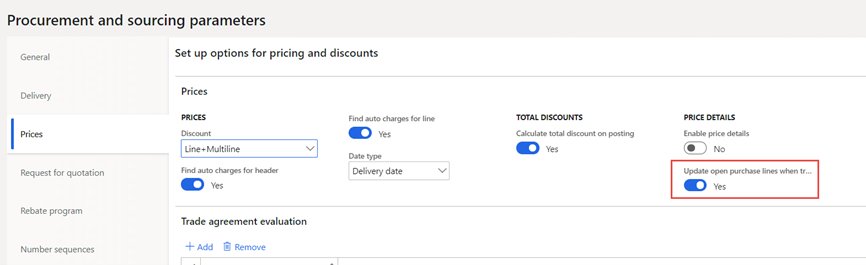
In Procurement and sourcing > Setup > Procurement and sourcing parameters > Prices, there is a new “yes/no” toggle to indicate whether or not the system will “Update open purchase lines when trade agreement price is updated.” When toggled to “yes,” the batch job update functionality will run.
Trade agreement entered
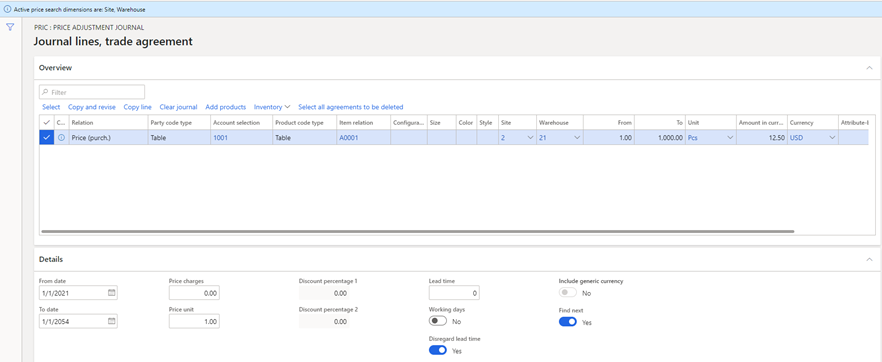
A trade agreement (Procurement and sourcing > Prices and discounts > Trade agreement journals) “From” and “To” dates in the Details are defined, as well as the search dimensions, vendor, item, quantity, and price before Posting. This is out of the box functionality.
Example: A purchase price trade agreement journal that applies to vendor 1001, item A0001 for a line quantity of 1 to 1000, and any date from 1/1/2021 through 1/1/2054. The agreement sets the purchase price at $12.50.
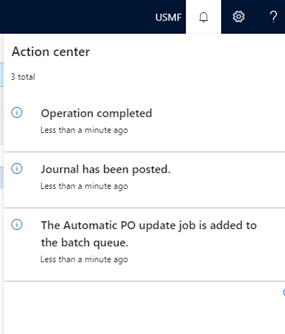
Once posted, the batch job will run (if the toggle in the parameters above is set to “yes”) and will look for applicable purchase order lines to update. The user will see several actions indicating that the job has run:
Open purchase order lines get updated
For the batch job update functionality to apply, the purchase order line must be confirmed with no receipt against it, and the Confirmed delivery date must be between the “From” and “To” dates on the purchase price trade agreement line (in addition to the out of the box matching of vendor, item, etc.). Note that this also will not update lines with an applicable purchase agreement, as that supersedes trade agreement pricing.
Example: There is a PO line for vendor 1001, item A0001, with a confirmed delivery date of 1/4/2021 and a price of $10/unit. The PO has been confirmed, and there is no receipt against the line.
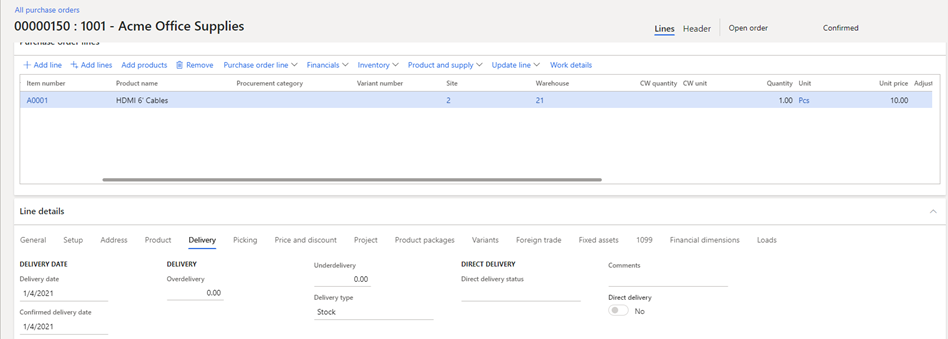
After the trade agreement update (above) runs, the purchase order gets updated to reflect the new unit price of $12.50. It’s updated because the vendor, item, site, and warehouse match, the line quantity of 1 and the confirmed delivery date of 1/4/2021 are within the ranges defined on the trade agreement.
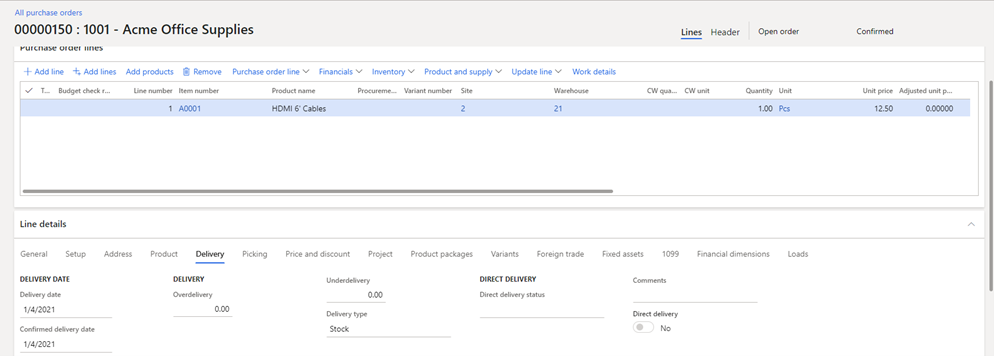
Also note that the PO is still in a Confirmed status after the job runs. The batch job updates the price, and the order is reconfirmed without sending further notice to the vendor (avoiding a manual reconfirmation). As with out of the box functionality, the price differences are captured in different Purchase order versions (Manage on the action ribbon > History > View purchase order versions).
Suggested Updates
Notes about the functionality of the extension upon review. May include suggestions for enhancement, or bug fixes.
Technical Design Information
Technical Solution Architect comment / summary goes here. This is meant to define the “direction” that the developer should take during development.
View in Microsoft Word
Auto PO Update from Trade Agreement Changes