Data Entity Template Generator
Business Purpose & Overview
This extension adds the Data Entity Template Generator to the Data Management workspace. The generator allows the user to select a data entity and whether they want to include sample data, and creates an Excel sheet with key questions for data mapping in the overview, a list of the fields, a template with the sample data to show what values go to which fields, and a list of the fixed values in drop-downs for that entity.
Overall, the extension makes data mapping activities more relatable and easier for the client to understand going into data migration exercises.
Functionality
Navigation
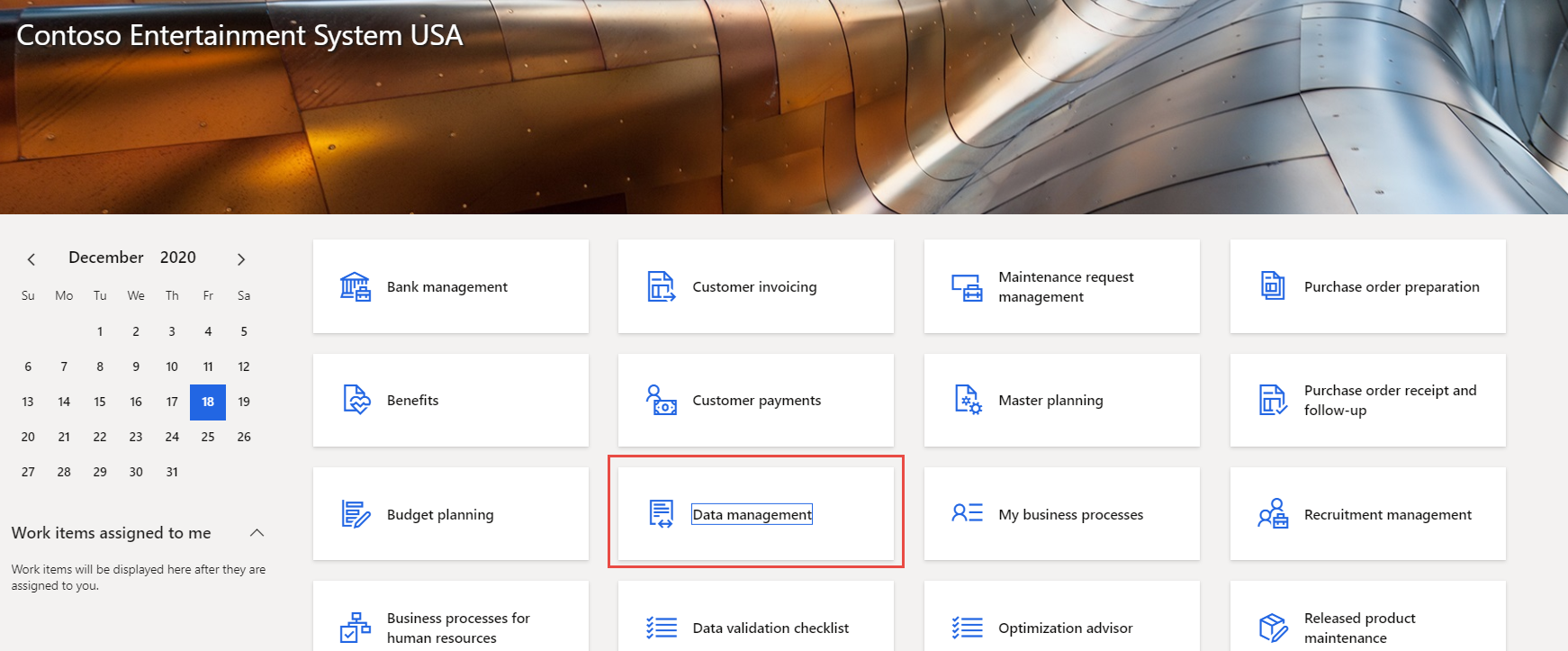
The user can access the generator through the Data Management workspace, either from the Home page dashboard, or in System administration > Workspaces > Data management.
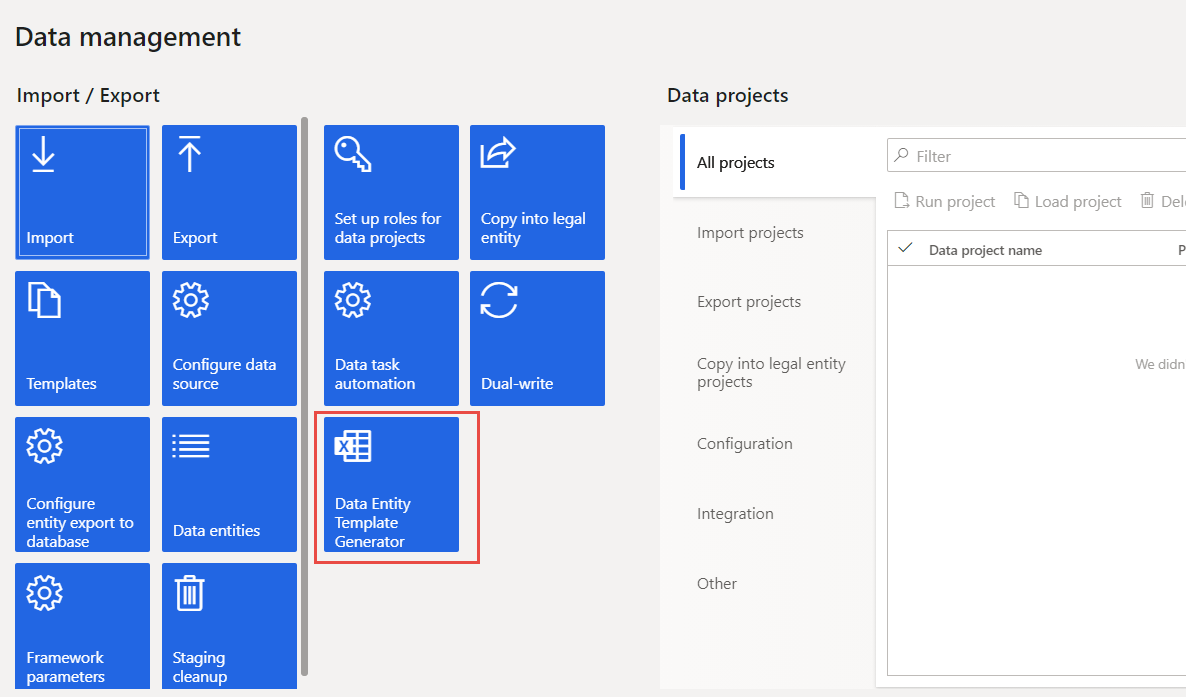
In the workspace, the Data Entity Template Generator is a tile on the left hand side of the screen.
Generate the template
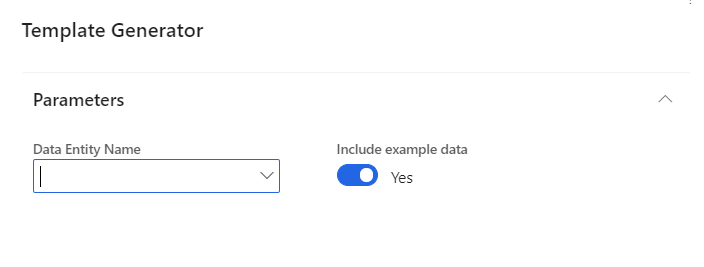
When the user selects the tile, a form comes up with a drop-down to select the data entity to generate, and a toggle for whether to include sample data.
Excel Template contents
The data entity template contains 4 tabs:
-
Overview: Key information and questions to answer about the entity during data migration.
-
Fields: A list of fields in the data entity with space for information about data migration and to map the fields from the legacy system.
-
Export Template: Shows where the sample data landed in the entity.
-
Fixed drop downs: Shows the values for fields where there are fixed values in the drop-downs.
Example:

Suggested Updates
Notes about the functionality of the extension upon review. May include suggestions for enhancement, or bug fixes.
Technical Design Information
Technical Solution Architect comment / summary goes here. This is meant to define the “direction” that the developer should take during development.
View in Microsoft Word
Data Entity Template Generator