Sales Order Line Mass Update
Business Purpose & Overview
The extension allows the user to sort open sales order lines that have not had any delivery against them, and to make a mass update to one or more fields on those selected lines. Lines may require mass updates due to market changes, pricing decisions, or updates to delivery terms.
Out of the box, the user can update sales order lines, but it’s time consuming and doesn’t allow for updates to multiple fields at once across lines. Additionally, to do an item substitution, the user would need to delete the line and add a new one with the new item.
Functionality
Navigation
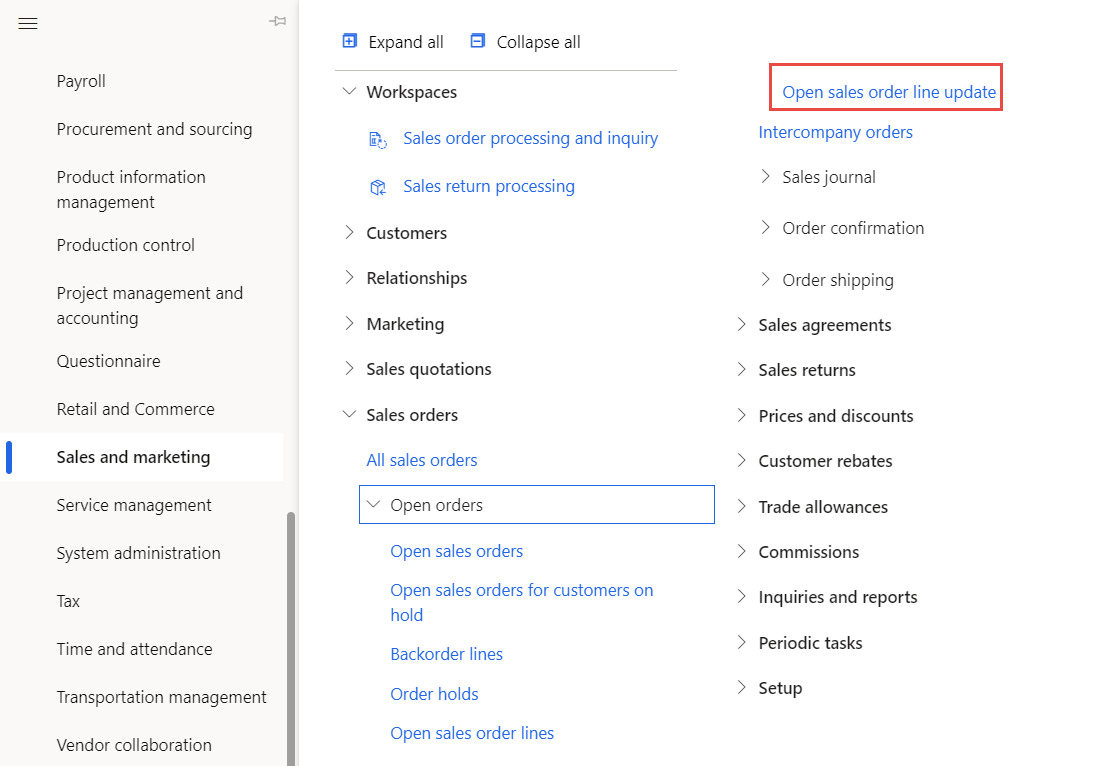
The user navigates to the form via Sales and marketing > Sales orders > Open orders > Open sales order line update.
Filtering
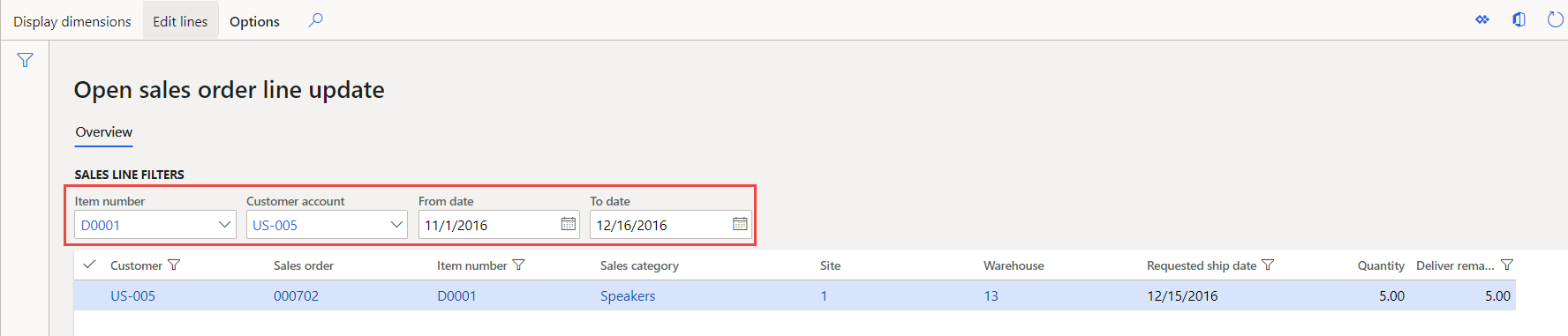
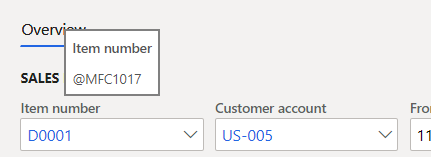
The form allows the user to filter to sales order lines that have no delivery against them by Item number, Customer account, and the Requested ship date (From date, To date). The filters are all optional, so the user can filter in any combination.
Making the updates
-
Once filtered to the applicable lines, the user selects the lines, either individually or by the “Select all” checkmark, and clicks on “Edit lines” in the action ribbon.
-
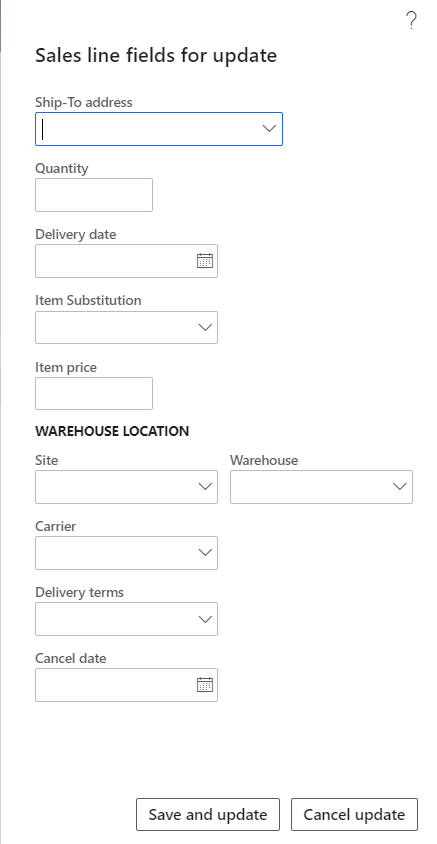
The fields available to edit pop up, and the user populates the value(s) that they want to update on the selected lines. The user can update the Ship to address, line Quantity, Delivery date, substitute the Item, Item price, Site, Warehouse, Carrier, Delivery terms, and Cancel date. To update, the user selects “Save and update” at the bottom of the page, or they can cancel the update(s) by selecting “Cancel update.”
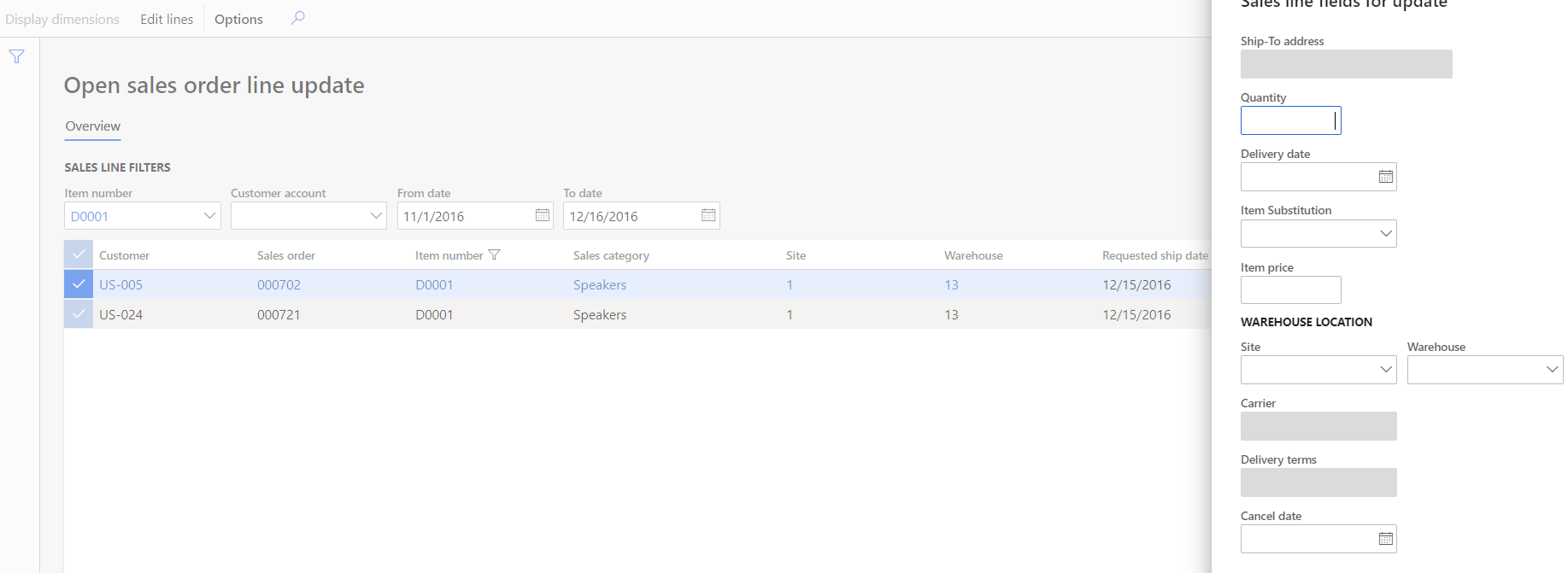
- The combination of filters/lines selected will impact the fields that are available to update for the form. For instance, if the user selects lines of Sales orders for multiple customers, the fields impacting delivery location and method aren’t editable since the values will likely be different.
Suggested Updates/Fixes
-
Add “Unit price,” “Carrier,” and “Delivery terms” fields to the form so that it doesn’t require personalization.
-
Edit the labels on the filters:
Technical Design Information
Technical Solution Architect comment / summary goes here. This is meant to define the “direction” that the developer should take during development.